
Download Smooth Key Scroll – smooth keyboard scrolling for Chrome
Overview
Smooth Key Scroll is a lightweight Chrome extension that transforms the way you navigate web pages with your keyboard. While most browsers now include smooth scrolling for mouse wheels and touchpads, the arrow keys and Page Up/Page Down commands often feel jittery and disjointed. Smooth Key Scroll solves that problem by overriding the default keyboard repeat rate and injecting GPU‑accelerated motion into every scroll event.
The result is a buttery‑smooth glide that feels natural, whether you’re browsing long articles, scrolling through code documentation, or skimming product listings. The extension is designed for keyboard‑centric users—students, developers, and power users who rely on arrow keys for precise navigation. Its minimalist UI lives in the Chrome toolbar, and a single click opens an options page where you can fine‑tune three distinct scroll speeds, assign custom hotkeys, and enable vertical sync to eliminate screen tearing.
Although the extension adds a brief one‑second loading delay on new tabs, the trade‑off is a significantly more comfortable reading experience that reduces finger fatigue and improves overall productivity. Smooth Key Scroll is free to download, updates automatically through the Chrome Web Store, and respects user privacy by storing settings locally. Whether you’re on Windows, macOS, or a Linux‑based Chrome installation, the extension works the same way, making it a universal solution for anyone who prefers keyboard navigation over a mouse or touchpad.
Key Features & Installation Guide
Smooth Key Scroll packs a focused set of features that address the most common pain points of keyboard scrolling. The extension’s design philosophy is “do one thing well,” so you won’t find bloated settings panels—just the tools you need to achieve fluid motion with every keystroke.
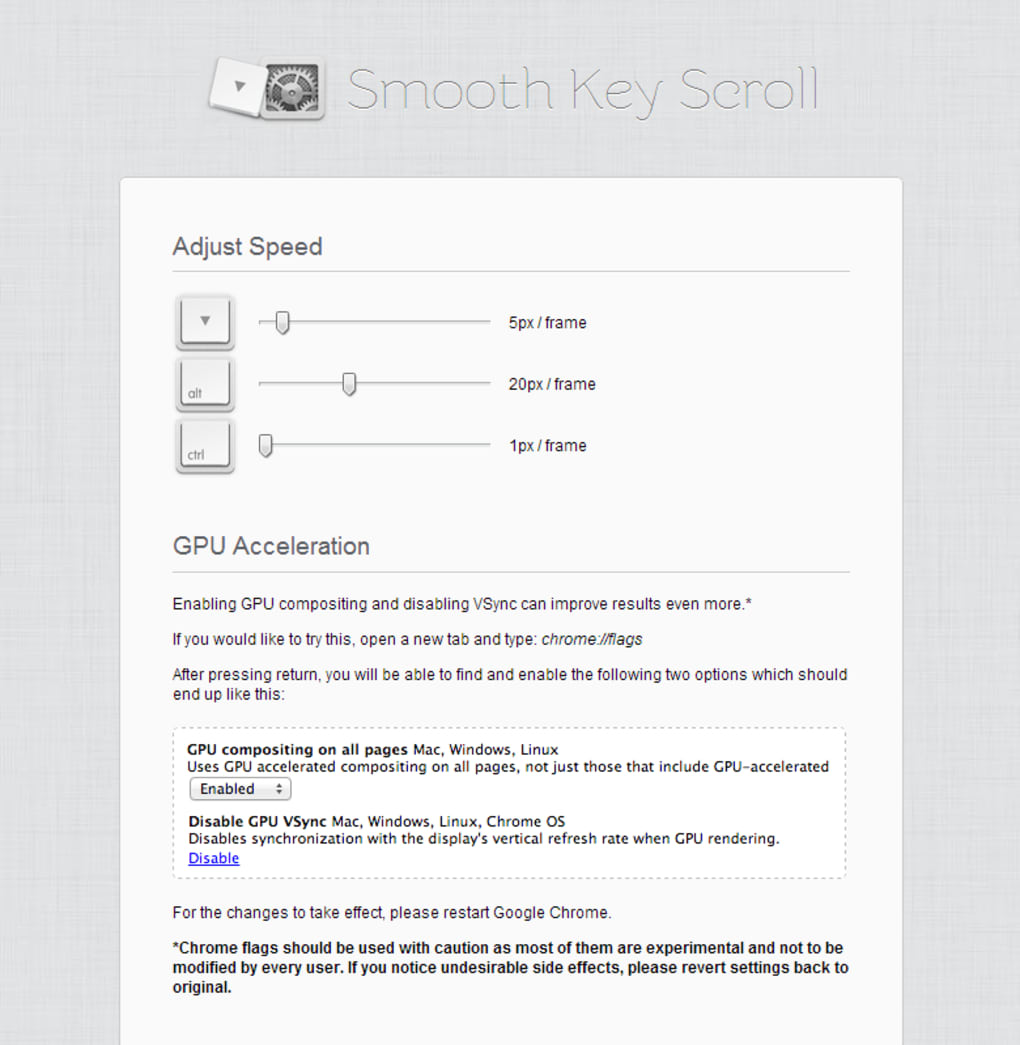
- Three Adjustable Scroll Speeds: Choose from slow, medium, and fast profiles. Each profile can be fine‑tuned with a slider that controls the pixel‑per‑frame distance, giving you granular control over how fast content moves.
- Custom Speed Hotkeys: Assign any key combination (e.g., Ctrl + Alt + ↑) to instantly switch between the three speed tiers without opening the options page.
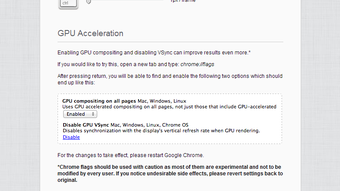
- GPU Acceleration: Leverages the graphics processor to render scroll frames, dramatically reducing CPU load and keeping other tabs responsive.
- Vertical Sync (V‑Sync): Synchronizes scroll updates with the display’s refresh rate, eliminating tearing and stutter on high‑resolution monitors.
- Flash Compatibility Fix: A hidden tweak resolves legacy Flash content that would otherwise interrupt smooth scrolling.
Getting Smooth Key Scroll up and running is straightforward:
- Open the Chrome Web Store and search for “Smooth Key Scroll.”
- Click Add to Chrome and confirm the permission prompt.
- Once installed, an icon appears in the toolbar. Click it to access the options page.
- Adjust the three speed sliders to your preferred values, enable or disable GPU acceleration, and set hotkeys if desired.
- Refresh any open tabs to let the extension initialize. The first load may take about one second, after which scrolling with the arrow keys becomes fluid.
Because the extension stores preferences locally, you can uninstall and reinstall without losing your custom settings. Updates are pushed automatically, ensuring you always have the latest performance improvements and bug fixes.
Compatibility, Pros & Cons
Smooth Key Scroll runs on any desktop platform that supports Google Chrome, including Windows 10/11, macOS Ventura and later, and popular Linux distributions such as Ubuntu, Fedora, and Debian. The extension does not depend on a specific GPU model; it simply requests the browser’s WebGL context, which is universally available in modern Chrome builds. Mobile Chrome users will not see the toolbar icon, as the extension is scoped to desktop browsers only.
Pros
- Highly responsive keyboard scrolling that feels natural.
- Three configurable speed tiers plus hotkey switching.
- GPU acceleration reduces CPU usage and improves overall system performance.
- Vertical sync eliminates visual tearing on high‑refresh‑rate monitors.
- Free, regularly updated, and privacy‑friendly (no data collection).
Cons
- Initial one‑second delay on page load can cause a brief jitter if you scroll immediately.
- Limited UI customization beyond speed sliders and hotkeys.
- Not available for Chrome on Android or iOS, where touch scrolling dominates.
FAQ & Conclusion
Does Smooth Key Scroll work with Chrome’s built‑in smooth scrolling?
Yes. The extension builds on Chrome’s native smooth scrolling engine and adds keyboard‑specific interpolation, so you keep the benefits of both mouse and keyboard smoothness.
Can I use Smooth Key Scroll on a Chromebook?
Chromebooks run Chrome OS, which uses the same Chrome browser engine. As long as you have the Chrome Web Store enabled, you can install and use the extension just like on any other desktop device.
Is there a way to disable the one‑second loading delay?
The delay is caused by the extension initializing its GPU context and V‑Sync listeners. It cannot be completely removed, but you can minimize its impact by keeping the options page open in a background tab, which keeps the engine warm.
Will Smooth Key Scroll interfere with other Chrome extensions?
In most cases it coexists peacefully. However, extensions that also modify scrolling behavior (e.g., custom scrollbars or page‑zoom tools) may clash. If you notice odd behavior, try disabling one of the conflicting extensions.
Is my browsing data collected by Smooth Key Scroll?
No. The extension only stores local settings (speed values, hotkey assignments) in Chrome’s extension storage. It does not transmit any personal data to external servers.
In summary, Smooth Key Scroll delivers a simple yet powerful upgrade for anyone who spends a lot of time navigating web pages with the keyboard. By providing three adjustable speeds, GPU‑accelerated rendering, and V‑Sync protection against tearing, the extension makes scrolling feel as smooth as scrolling a touchscreen—without the need to switch input devices. The brief initialization pause is the only noticeable downside, but it is outweighed by the comfort and efficiency gains for power users.
If you’re ready to give your keyboard a buttery glide, click the Download button below, add Smooth Key Scroll to Chrome, and customize the settings to match your workflow. Experience smoother navigation, reduced finger fatigue, and a more polished browsing experience today.







